 Mijn Orkest
Everything Mijn Orkest does for you
From the sheet music on the stand to the membership fees in the bank
Mijn Orkest brings your association's sheet music, membership records and membership fees together in one place. Musicians log in and see their own parts, the music committee no longer has to email anything around, and the treasurer knows exactly who still has to pay. Below we walk you through the main features, with screens from the application itself.
Setlists: the programme and the sheet music in one
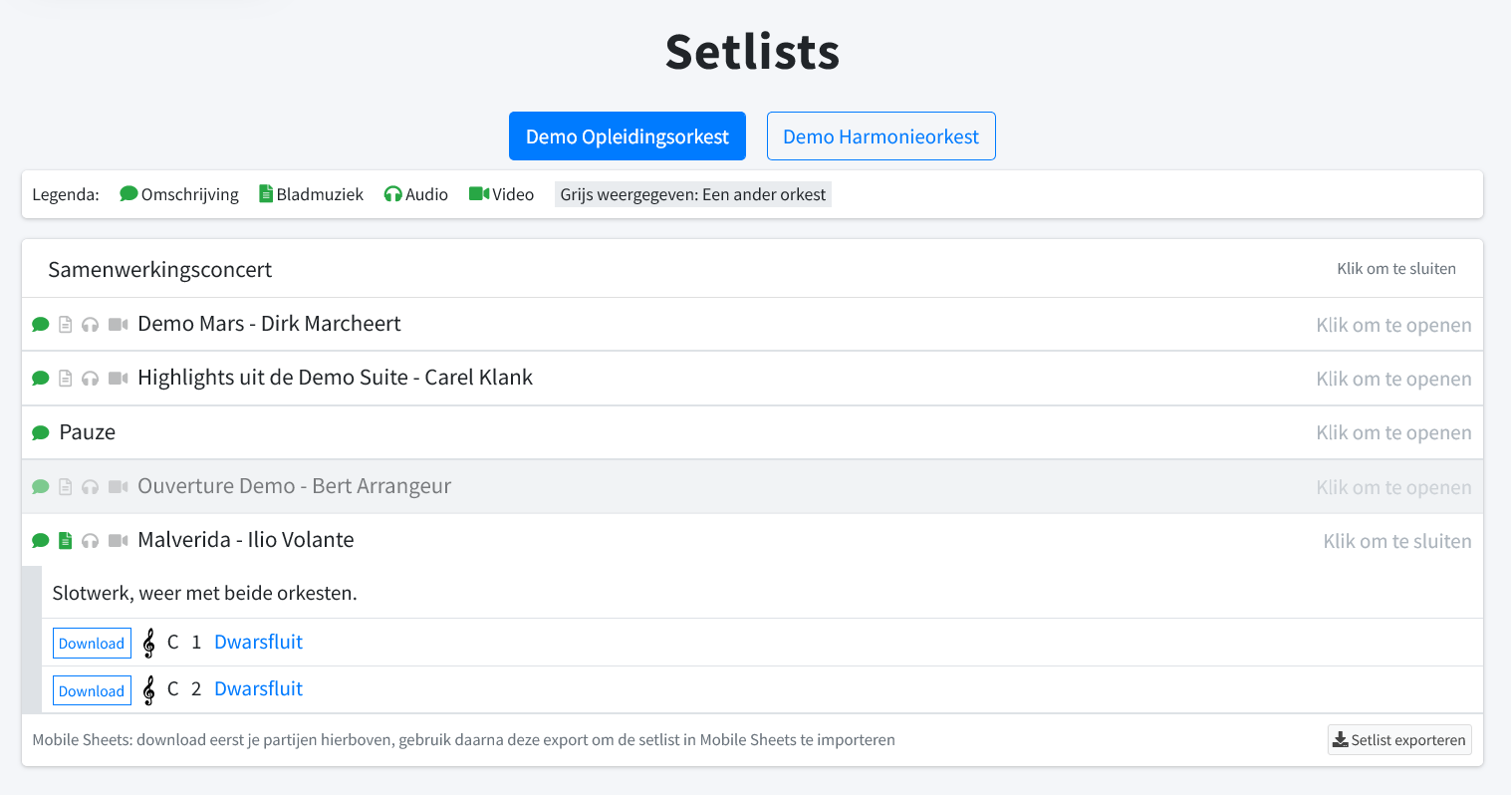
A setlist is the programme of a concert or a rehearsal, and at the same time the key to the sheet music. Put a piece on the setlist and every musician in the chosen orchestra automatically sees the parts for their own instrument. Nobody has to ask which version is the right one anymore.
If your association has several orchestras, you switch between programmes with a single click at the top. Besides the parts, you can add a description, an audio recording and a video to each piece, so members can start listening at home. An intermission or a spoken introduction simply belongs on the programme too. Anyone playing from a tablet exports the whole setlist to Mobile Sheets and has the complete programme on screen in the right order.
You prepare a setlist at your own pace and only publish it once it is right. From that moment on, everyone is notified. You can also set from when until when a setlist is visible, so access to the sheet music expires by itself after the concert.
A library that keeps itself in order
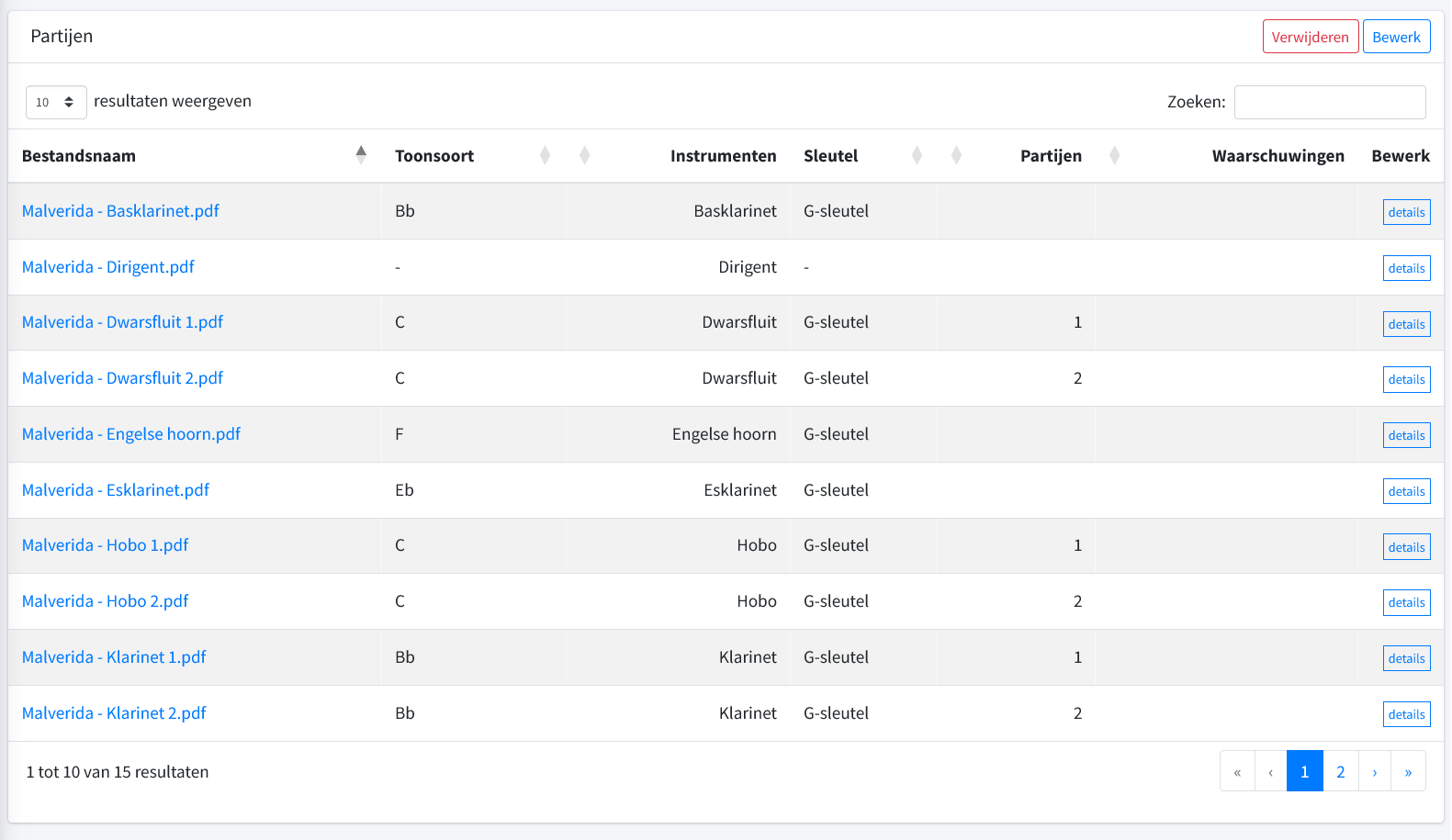
For each piece you keep all parts together, recording which instrument they were written for, in which key, with which clef and which part numbers they are. The file name a member downloads is put together by Mijn Orkest from that information. So you don't have to rename anything before uploading, and a correction to a part immediately fixes the name everyone sees.
For PDF files, the title, the composer and the instruments are also written into the file itself, so Mobile Sheets recognises them straight away. If you later change the title of a piece, all parts are updated again in the background.
A warnings column keeps an eye out for parts without an instrument, or for two files that would end up with the same name. That way you find the mistakes before your orchestra does. Need to change more at once? Select a range of rows and change the instrument, key or clef of all of them in one go.
Your entire archive in, without endless typing
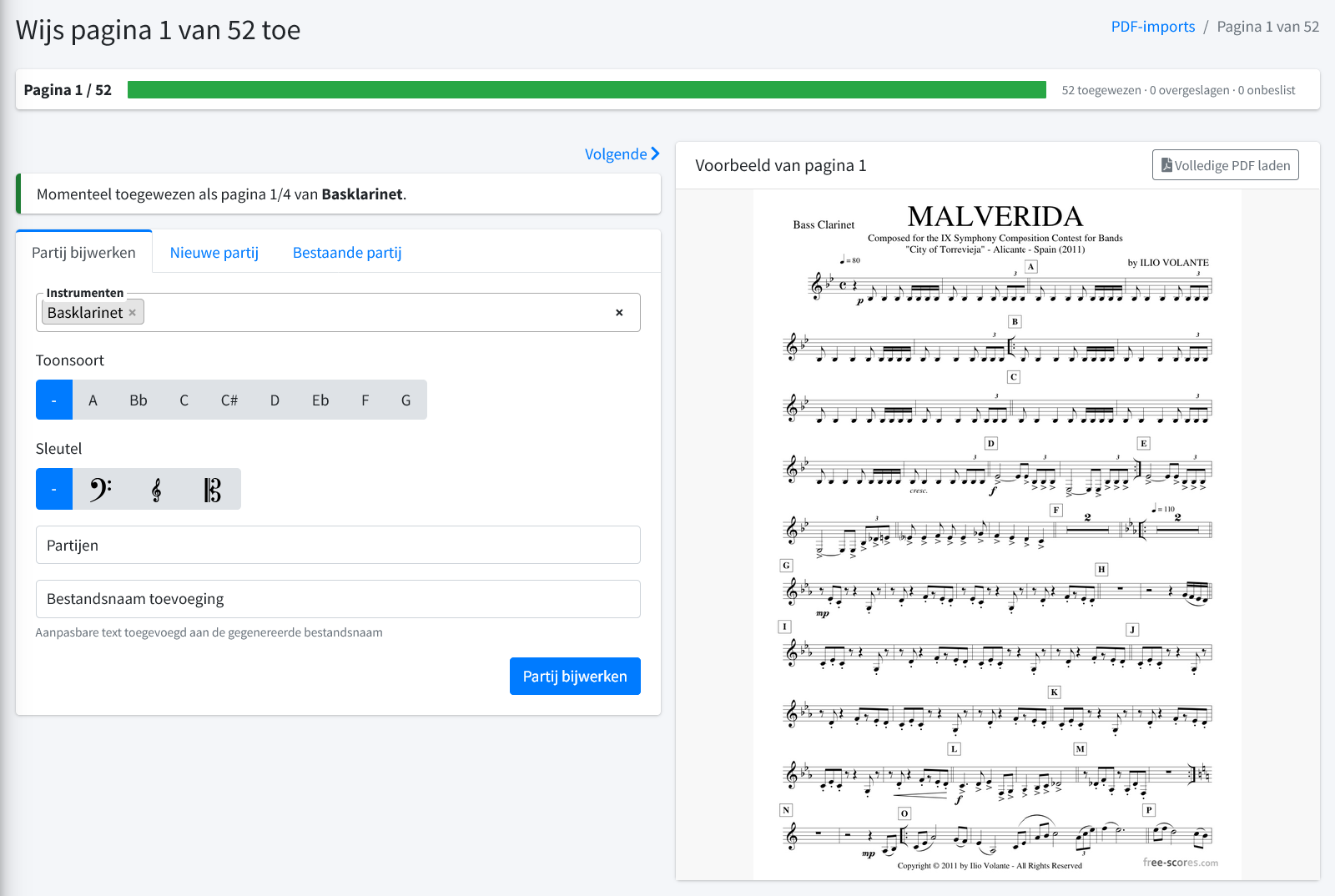
Most associations have an archive full of scanned pieces: one PDF with all the parts one after another. Upload that file and Mijn Orkest splits it into separate pages, reads the text on each page and suggests the title and the instrument.
Then the wizard takes you through the pages, with the scan shown next to your choices. For each page you start a new part, attach it to a part you already created, or skip it. Every new part starts with the details of the previous page, so you can assign a stack of one-page parts at high speed. The progress bar shows how much is left, and the review page shows everything once more before it becomes final.
If you have separate files with the instrument in the file name, it's even faster: they are recognised automatically, including key, part number and clef. Spelling mistakes and regional names are picked up as well, as long as you have added them as an alternative name for the instrument.
You can also exchange music with another association. You export a piece to a single file, complete with all its parts, and the association on the other end imports it again in one go. When importing, you decide how the instruments in the file map to your own, and Mijn Orkest remembers those choices. The next piece from the same source takes even less work.
Orchestras, sections and substitutes
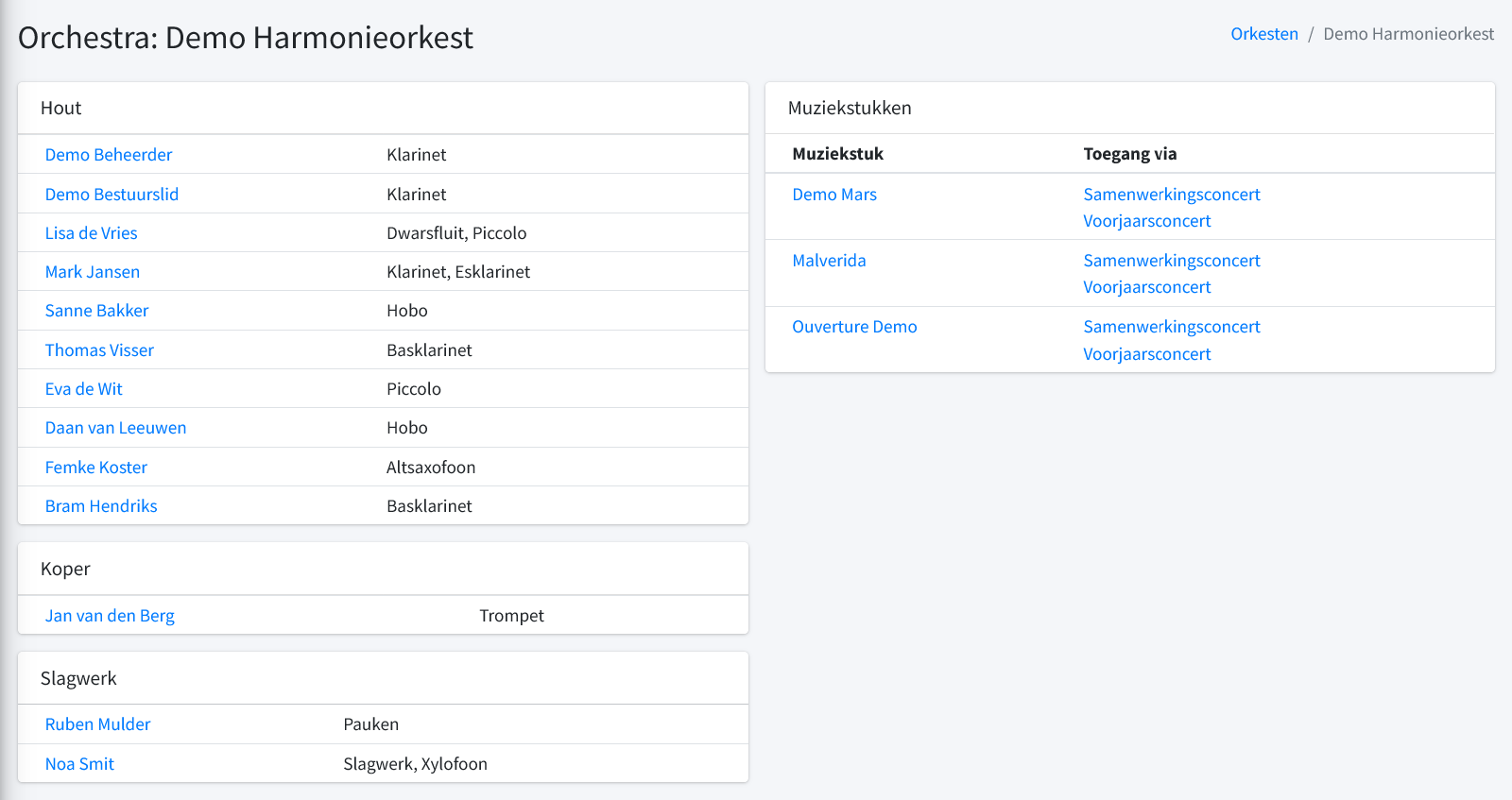
An orchestra is a list of people with the instruments they play, divided into sections you put together yourself. Woodwind, brass and percussion, or exactly the layout that suits your association. You define the instruments entirely yourself too, with names in several languages if you like.
The orchestra page shows at a glance who sits where, as well as which pieces the orchestra can currently access and through which setlist. Click a name to change what someone plays. Mijn Orkest keeps track of who played which instrument when, so your records stay accurate over the years.
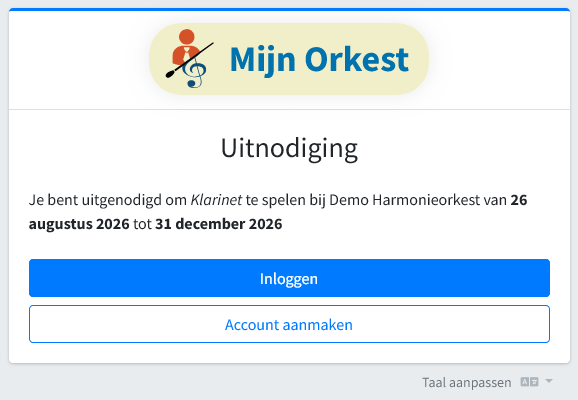
For substitutes, you create an invitation with an instrument and a period. You get a link to pass on, and there's nothing else to arrange. Whoever opens the link immediately sees what it's about: which instrument, which orchestra, and from when until when.
The substitute then logs in with an existing account or creates one in the same step. From that moment on, exactly the parts they need are ready, and once the end date has passed, access expires by itself. Once you've sent it, you don't have to think about it anymore.
Everyone informed on time
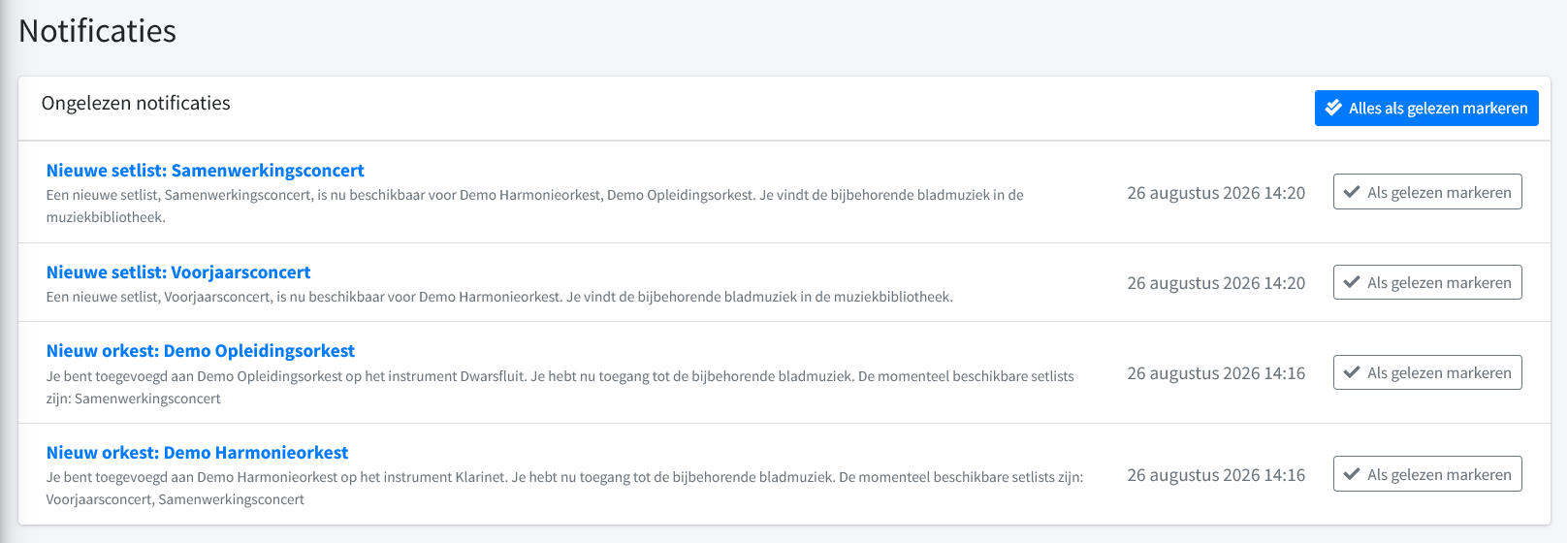
As soon as a setlist is published, every musician in the orchestra concerned is notified. Anyone added to an orchestra immediately reads on which instrument, and which setlists are already waiting, with the sheet music one click away.
The messages live in the application itself, so they don't get lost at the bottom of a full inbox. You tick off what you've read, and a single button clears everything at once.
Every member knows what's outstanding
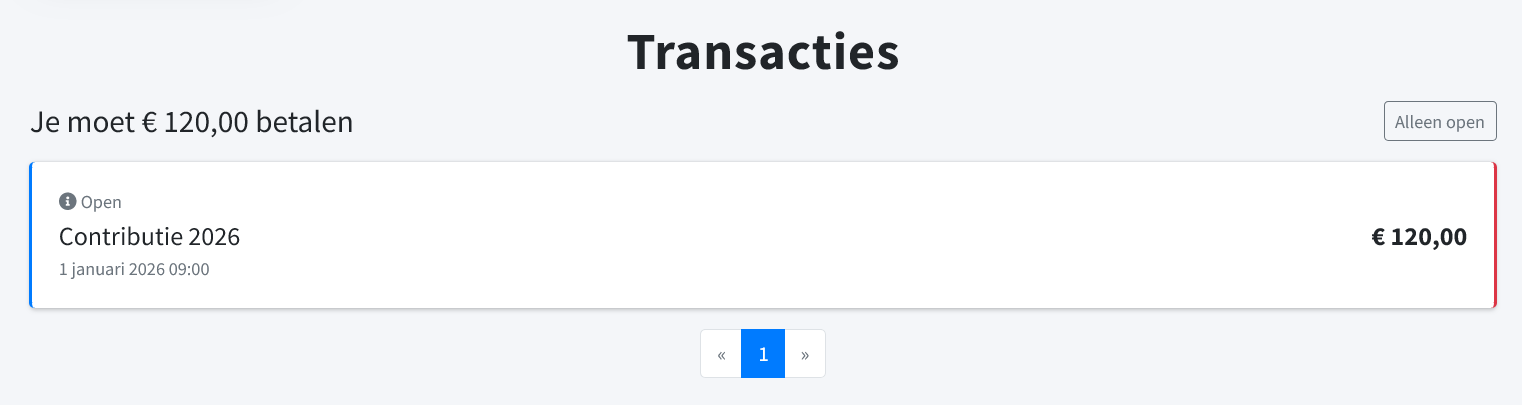
Mijn Orkest also handles the money going back and forth between the association and its members. Every member has their own balance and sees on a single page what is outstanding and what for.
The membership fee, a contribution for the rehearsal weekend or a share of the barbecue: every item is listed with a description and a date, and the amount still to be paid is shown at the top. That saves the treasurer a lot of questions at the bar.
The entire membership fee round on one screen
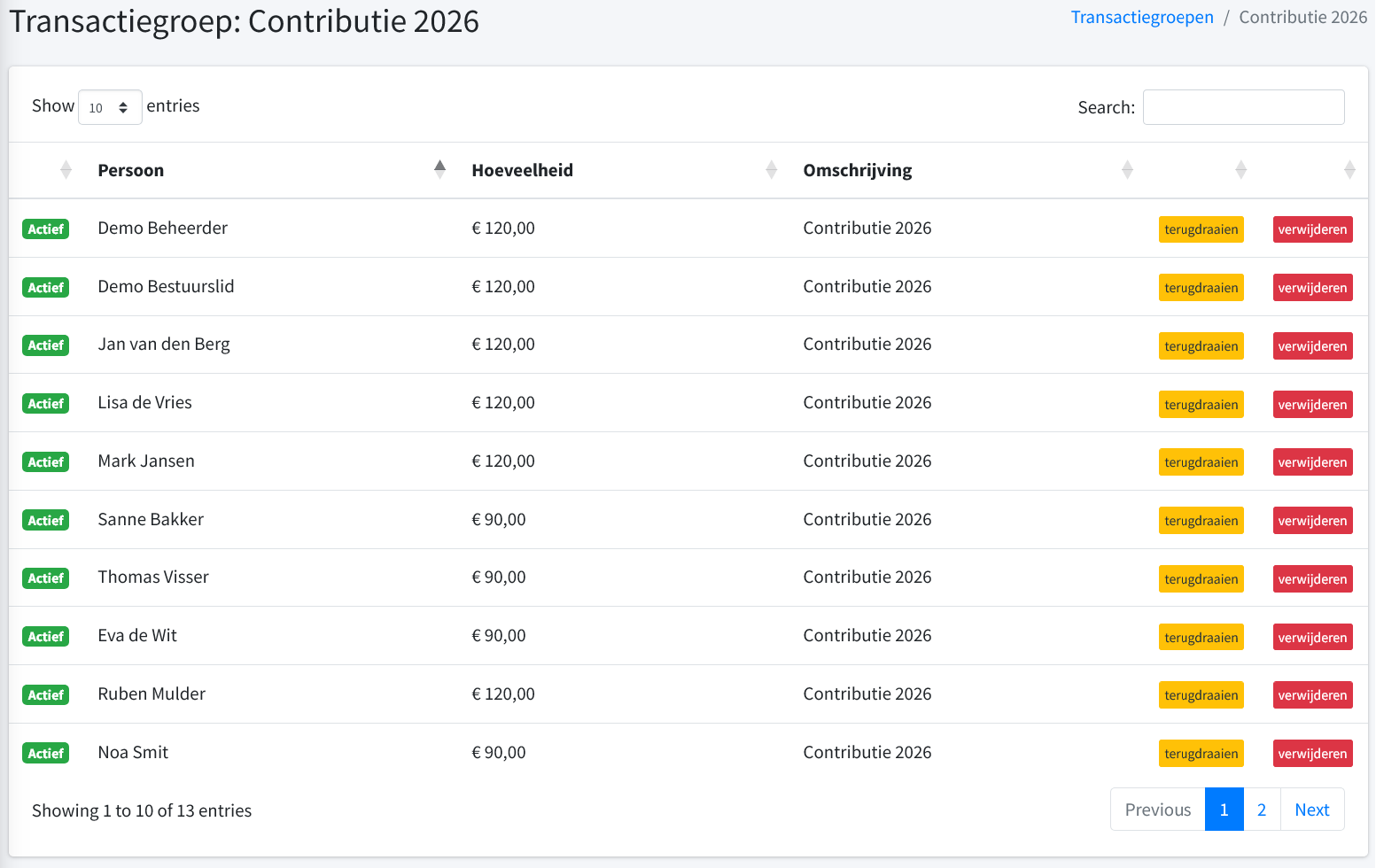
On the treasurer's side, you work with transaction groups: everything that belongs together under one heading, such as this year's membership fees. In a single action you add amounts for individual people and for whole groups at once, so the youth members get their own rate without you having to go through it line by line.
New transactions are first prepared without anyone seeing them. You check them at your own pace, edit amounts and descriptions as if you're working in a spreadsheet, and only then make them final. Reverting a single line is possible too, as long as it hasn't been settled yet. If the amounts are already somewhere else, you import them from a CSV file.
Collecting and reconciling without the maths
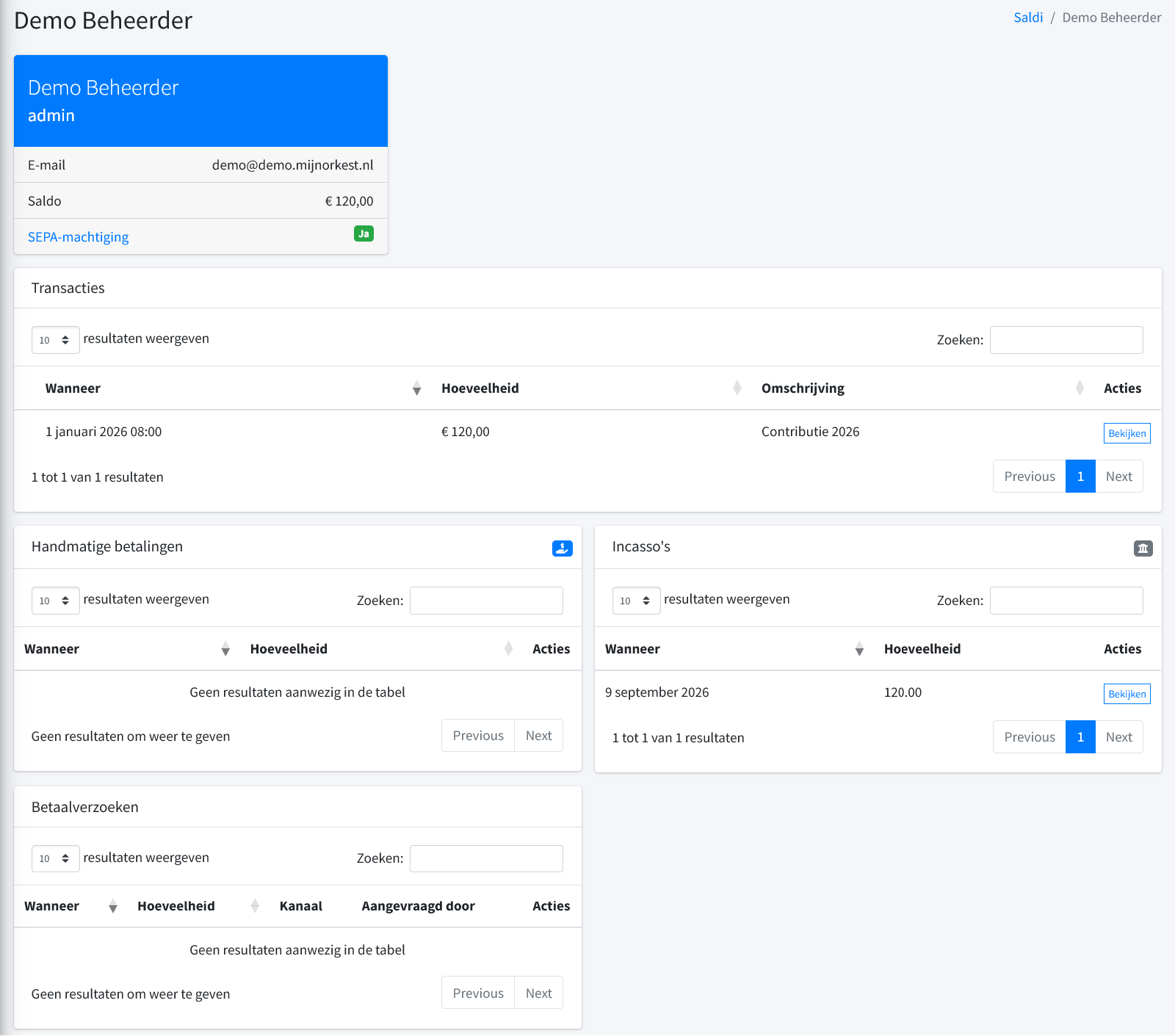
The balances page gives you the full picture per person: the outstanding amount, the transactions, the direct debits, the manual payments and the payment requests you have sent.
For members with a SEPA mandate, you create a direct debit order. Mijn Orkest splits the amounts into batches within your bank's limits, announces the direct debit to everyone by email as required, and produces the file you submit to your bank. If a payment is reversed, you import the response file and the amount is automatically outstanding again.
Members without a mandate transfer the money themselves. In a single action you send them a payment request, to a whole group at once if needed, and match incoming payments against the outstanding items. If someone pays only part of it, Mijn Orkest works out which items have been settled.
Secure login without the hassle
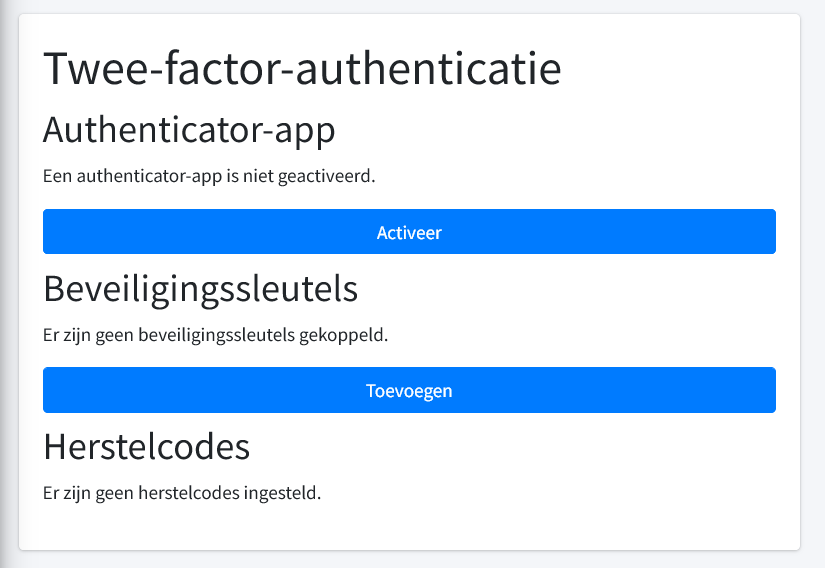
Sheet music and member data belong behind a good lock. Besides a password, a member can link an authenticator app, add a security key or passkey, and set up recovery codes in case their phone gets lost.
With a passkey you log in with your fingerprint or face and no longer need a password at all. If your association already has accounts elsewhere, you can link them as long as the provider supports OAuth.
Want to take a look around yourself?
At demo.mijnorkest.nl there's a full demo where you can try out most of the features in this article yourself. Feel free to click on anything, nothing will break. Want Mijn Orkest for your own association? Let us know via the contact page.